



Recently, I've been working with a customer to flesh out what Built-On Databricks could look like for them. We used the Databricks Partner Well Architected Framework (PWAF) and the Firefly Analytics example use case as reference, and built a working prototype.
What follows is what I built and what I've learnt from showing it to clients. The short version is that the Built-On pattern is solving a problem far more of our clients have than I'd realised — and the prototype itself has been doing more of the persuading than slides and documentation ever did.
What Built-On Actually Means
Databricks has three partner architectures in the PWAF: Connected Products, Delta Sharing, and Built-On. The first two have been around for a while in various guises — this is just the first time they've been formalised. Built-On is the newest, and the one I think is the most interesting.
In a Connected Products world, Databricks sits behind whatever tool the customer has already chosen — a BI tool, a governance tool, a transformation tool. The customer knows they're using Databricks. In a Built-On world, Databricks is the load-bearing foundation of your product, and the end users don't know it's there. They sign in to your platform with their credentials, browse your catalog, ask your AI assistant questions. The details of Databricks, Spark, and all the engineering tools are deliberately hidden.
The Firefly reference calls the authentication pattern SSO-SPN, which sounds dry until you realise what it solves. Users authenticate via whatever identity provider their organisation uses — Entra, Okta, Auth0 — and every Databricks API call happens via a per-organisation Service Principal held server-side.
The end user never has a Databricks account. Never needs to be provisioned in Unity Catalog. Each tenant organisation gets its own SPN, its own workspace mapping, its own permissions. The audit trail traces every API call to the right SPN, with user identity preserved in the application logs.
Onboarding becomes whatever your IdP onboarding already is, which for most enterprises is a problem they solved a decade ago. That's a lot of work that doesn't need doing.
The Prototype
I built this on a single Databricks workspace with a Next.js application sitting in front, following the PWAF guidance fairly closely. The walkthrough below traces the journey an end user would take.
Login
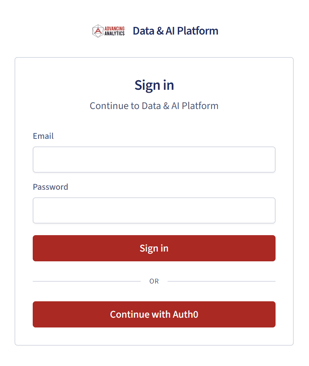 The first piece of evidence the architecture is doing what it claims. The login page is ours, not Databricks'. No hint that the user is about to query a Lakehouse. The user authenticates via their organisation's identity provider, the application receives the token, and the rest of the session runs against the Service Principal for that organisation. The user has no idea about the details underneath.
Landing
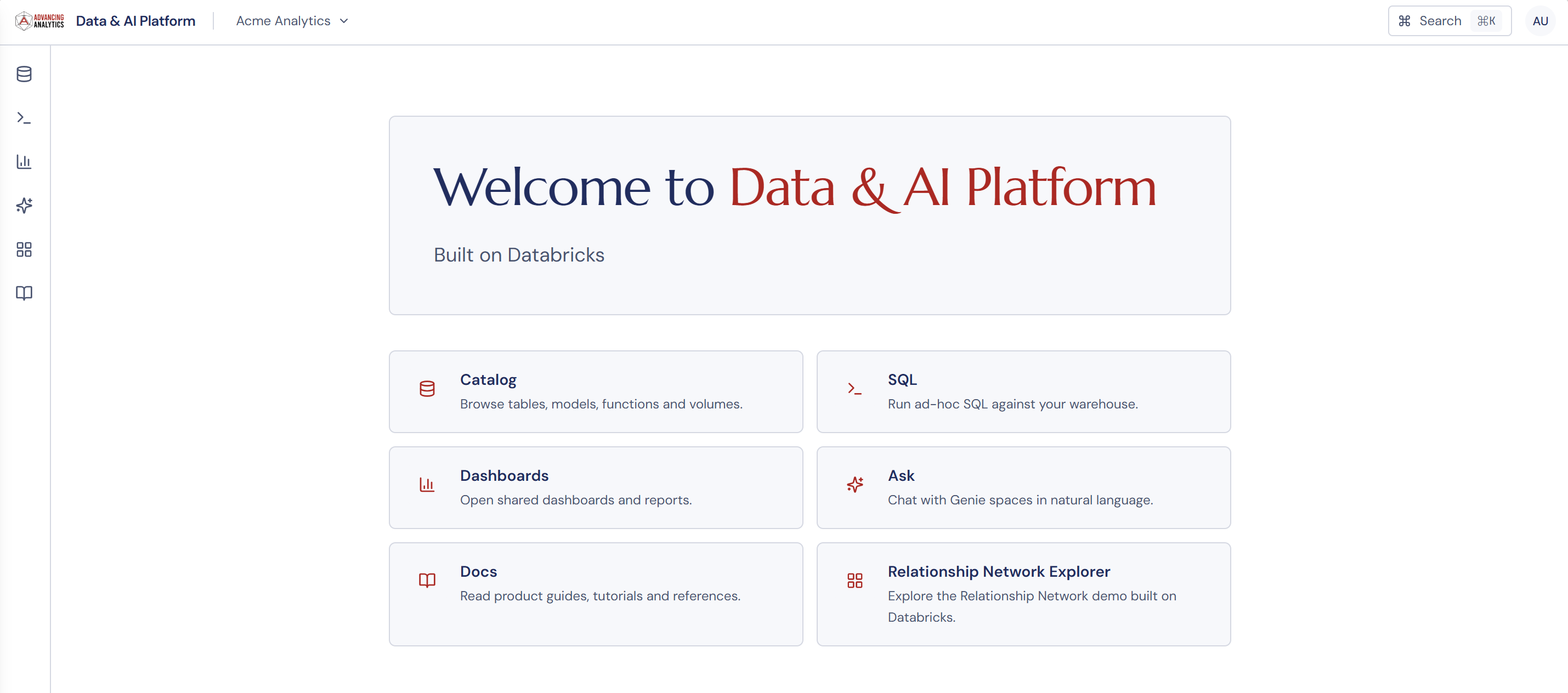 What I noticed building this is how much of the Databricks surface area you don't need to expose. Workspaces, clusters, runtimes, jobs, model serving endpoints, Genie spaces, dashboards, alerts, MLflow — the whole estate. A customer-facing product needs almost none of that visible. The landing page is yours. The information architecture is yours. The vocabulary is yours. Hate the name Genie? You can rename it. The user lands somewhere that knows who they are and what organisation they belong to, not somewhere that asks them to learn a new platform first.
Browsing the Catalog
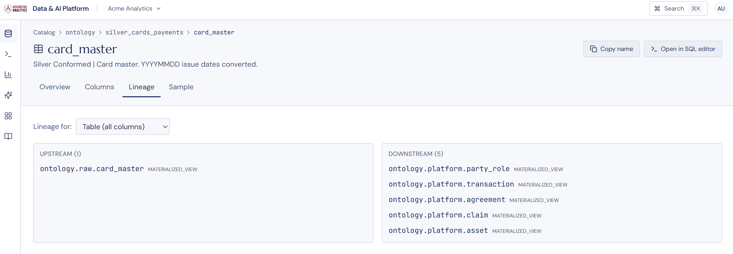 What's underneath is Unity Catalog, but what the user sees is a domain-shaped view of their data. The point of doing this on Databricks rather than rebuilding governance from scratch is that you inherit lineage, fine-grained access control, and a permissions model that already understands rows, columns, and external locations.
You're not reinventing data governance, but you are putting a domain-appropriate window onto a governance layer that already works. Structurally, this is a service-oriented data architecture in miniature — a managed data plane exposed through a domain-shaped API that your application owns.
This matters because data products built on bespoke infrastructure tend to accumulate a parallel governance estate. Two access models, two lineage stories, two definitions of "who can see what". Built-On collapses that into one.
Writing SQL
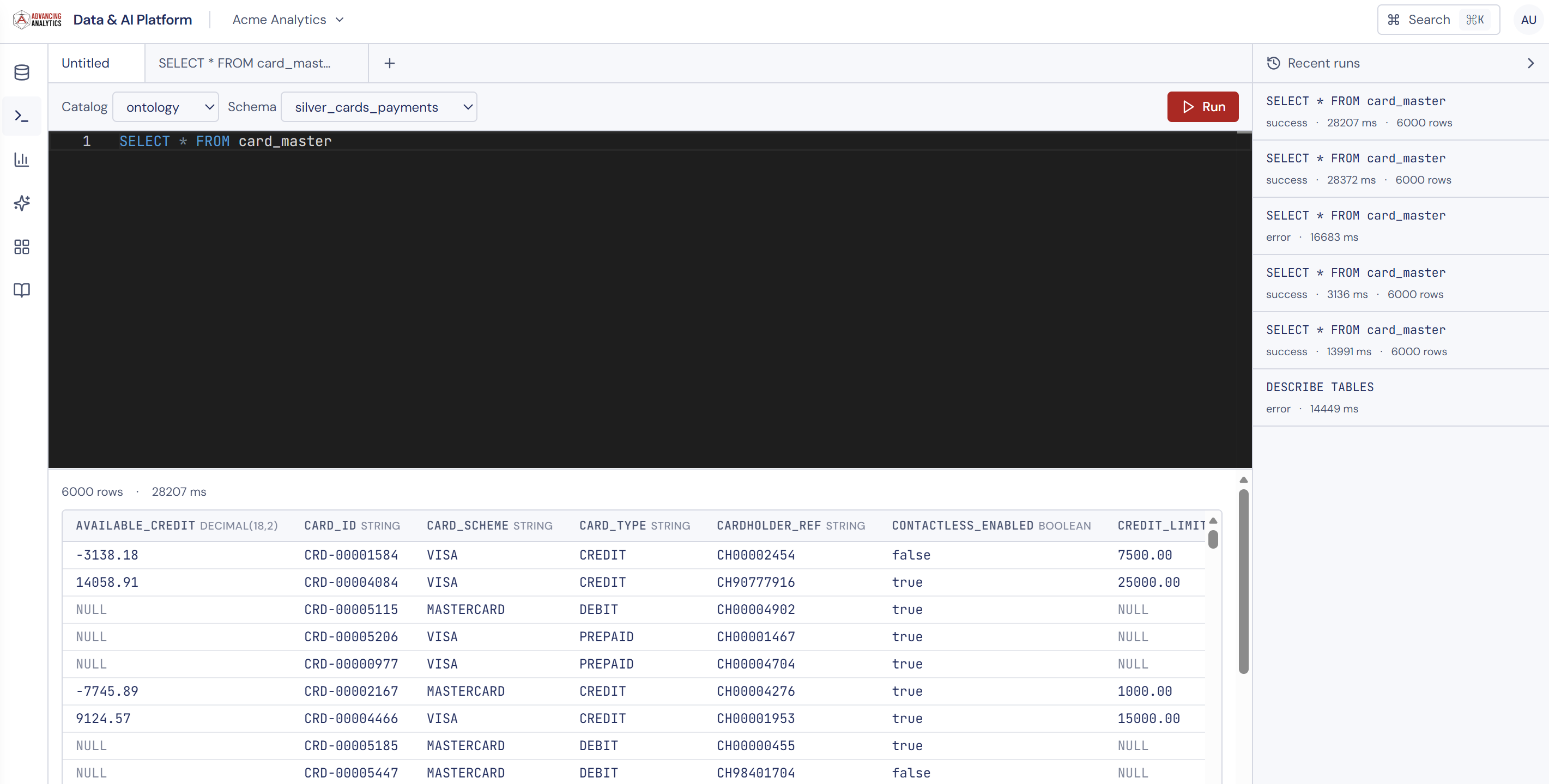 A SQL editor inside a customer-facing product is a deliberate choice. Plenty of products in this space hide SQL entirely and only offer point-and-click.
The clients I've shown this to are typically building for analysts and operators inside their own customers' organisations. People who can write SQL, who want to write SQL, and who will be more productive if they're given a proper query surface rather than a clicky drag-and-drop experience or having to export to Excel.
The execution happens against a Databricks SQL Warehouse via the SPN. Results stream back. History, saved queries, sharing — all the things a competent SQL workbench should give you — sit at the application layer in our own Postgres, not in the user's Databricks workspace, because the user doesn't have one.
Embedding AI/BI Dashboards
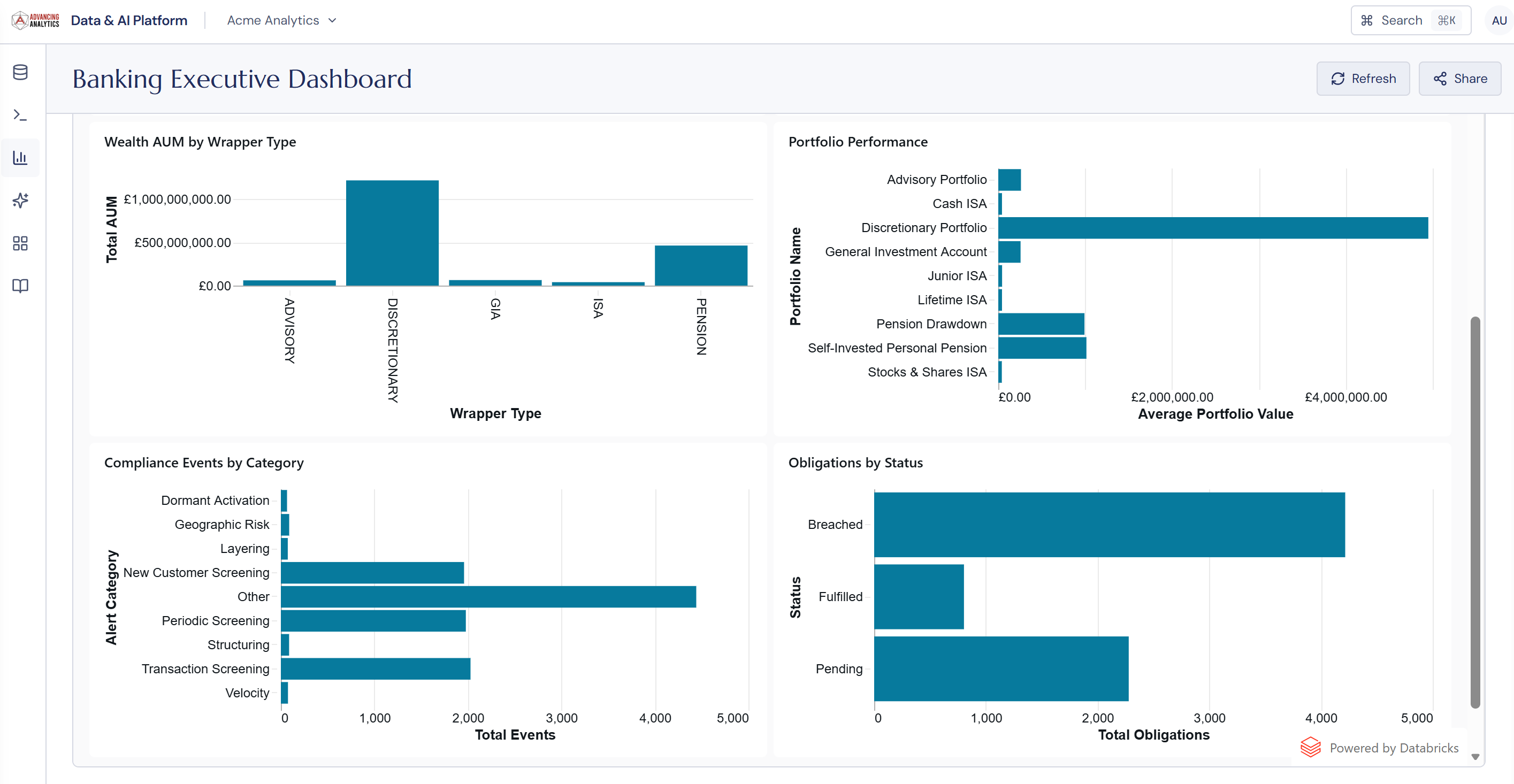
Not every user wants to write SQL or have a conversation. Some just want to look at a chart.
AI/BI Dashboards is Databricks' native dashboarding surface, governed by Unity Catalog and parameterised at the tenant level. We embed them in the application the same way as Databricks Apps — iframe inside our own application, scoped to the tenant's SPN. Each tenant sees only their own data, their own dashboards. The visualisation engine, the rendering, the row-level filtering — all handled by the platform.
It's worth pointing out what dashboards share with Genie. Both read from the same Metric Views. The chart labelled "wealth AUM by wrapper type" and Genie's answer to "how much do we have under management, split by wrapper?" agree by construction, because both are reading the same metric definition out of Unity Catalog. The semantic layer is doing double duty.
Which sidesteps a category of bug that haunts most BI implementations: the dashboard says one thing, the chatbot says another, somebody has to work out why. Build on a governed semantic layer and these surfaces stop disagreeing with each other.
Asking Genie
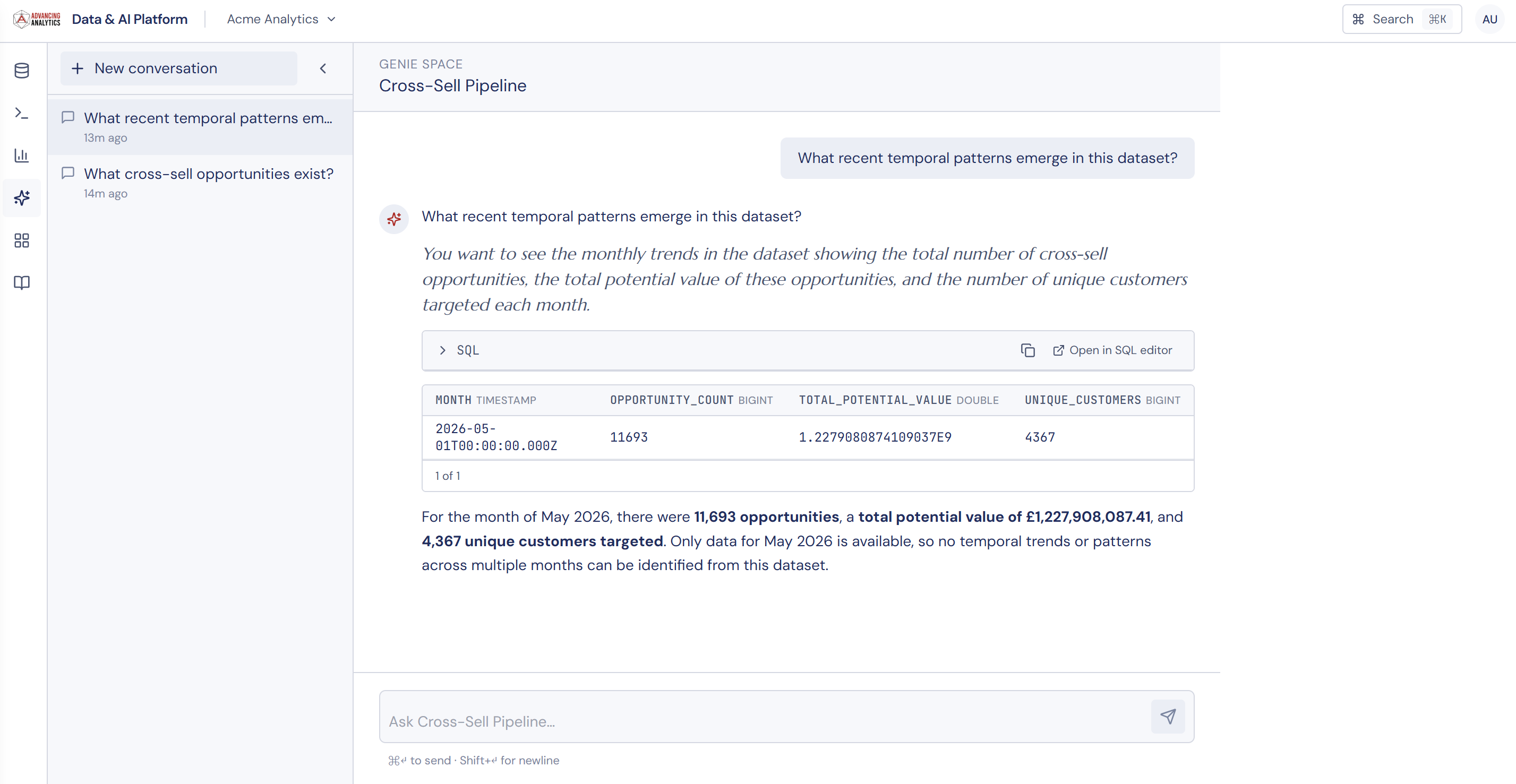
This is where the prototype has impressed.
Genie is Databricks' native natural-language-to-SQL surface. Its grounding lives in two places: the Knowledge Store inside each Genie Space and, where they exist, Metric Views in Unity Catalog (the same ones the dashboards are reading from). The Knowledge Store does the heavy lifting of conversational grounding. Metric Views give you portable, governed metric definitions that any tool can query at runtime, dimension by dimension.
Embedding Genie inside our own product means the customer's end users get conversational analytics over their own governed semantics — without us having to build a text-to-SQL engine, without us maintaining metric definitions in two places, and without the customer needing to hand their schema to a third-party LLM.
The challenge is that most of the value depends on what's upstream. The Genie experience is only as good as the semantic modelling work you've done — which is the argument I made in Genie is Semantic Layer Problem, Not a Chat Problem. In a Built-On product, that argument bites harder, because your end users can't go and configure things themselves. There's no escape hatch. The semantic layer has to be right before the chat is worth shipping.
All we do at the application layer is render the conversation, manage permissions, and contextualise the experience for each tenant. The hard parts — grounding, governance, evaluation — stay in Databricks, and stay invisible to the user.
Embedding Apps
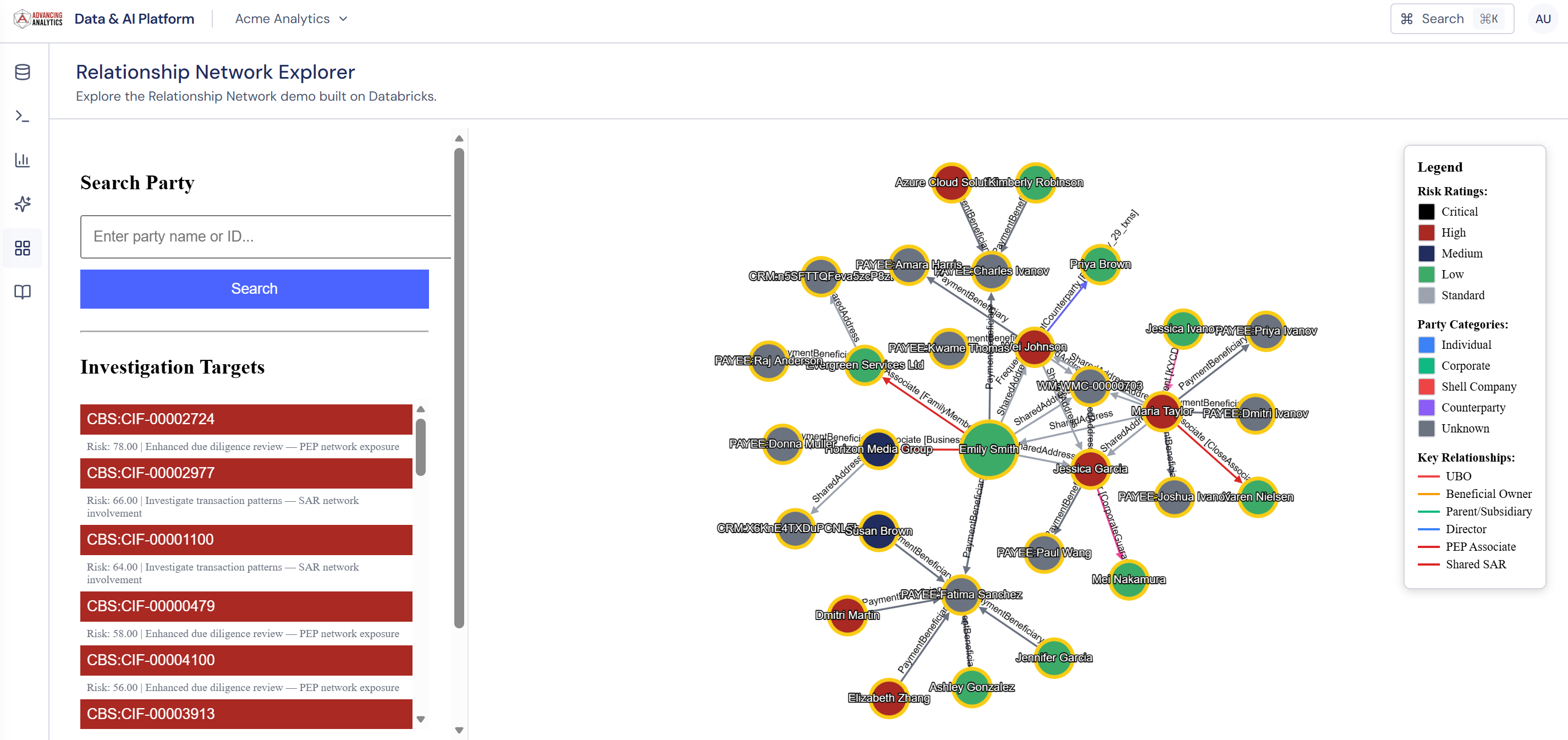 Genie and SQL aren't always the right surface. Sometimes you need a bespoke interactive workflow — a guided data quality check, a domain-specific configuration screen, an analytical tool that doesn't belong in either a notebook or a dashboard. Databricks Apps gives you a way to build and host these directly inside Databricks, in Streamlit or Dash or any standard framework.
In a Built-On product, we embed them as iframes inside our own application. The app itself runs in Databricks, scoped to the tenant's SPN. The frame, the branding, the navigation — all ours. Authentication and governance come for free.
The base prototype handles the common cases. Databricks Apps handles everything else, without us having to stand up a parallel hosting estate just to serve one or two bespoke screens.
Documentation
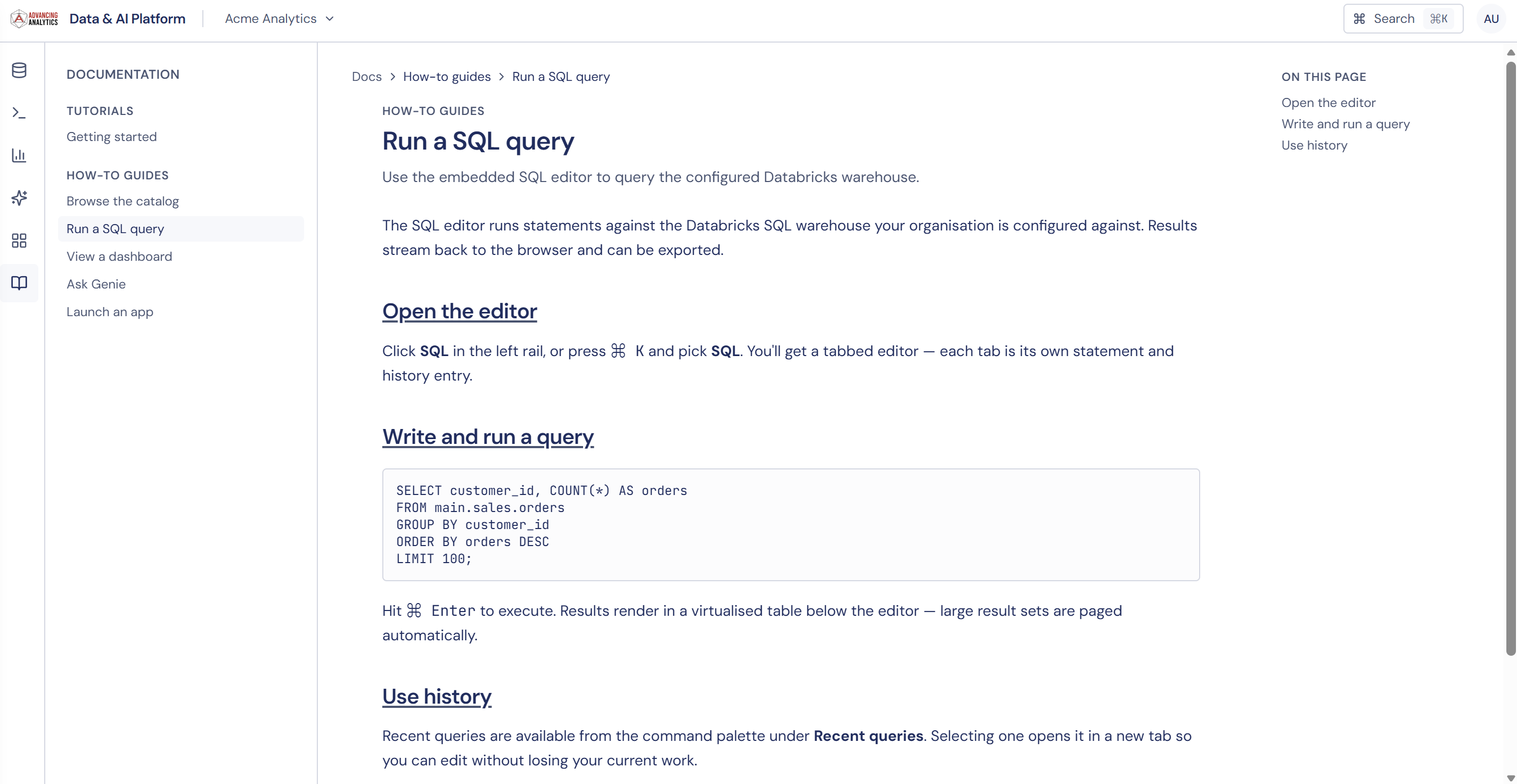
You can't ship a customer-facing product without documentation. The trap, in a Built-On world, is to default to linking out to the Databricks docs.
The Databricks docs aren't written for your customers. They talk about SQL warehouses, clusters, runtimes, Unity Catalog metastores, Delta tables. None of that vocabulary belongs in your product. Your customers think in terms of performance reports, transaction analytics, risk dashboards — whatever the domain language is. Linking them to "How to configure a Photon SQL warehouse" is breaking the abstraction you just spent the prototype building.
So we wrote our own. The documentation lives inside the application, scoped to the tenant, and uses the tenant's vocabulary. It explains how to ask Genie about transaction volumes, not how Genie was trained. It explains how to find performance reports, not how Unity Catalog organises schemas.
Administration
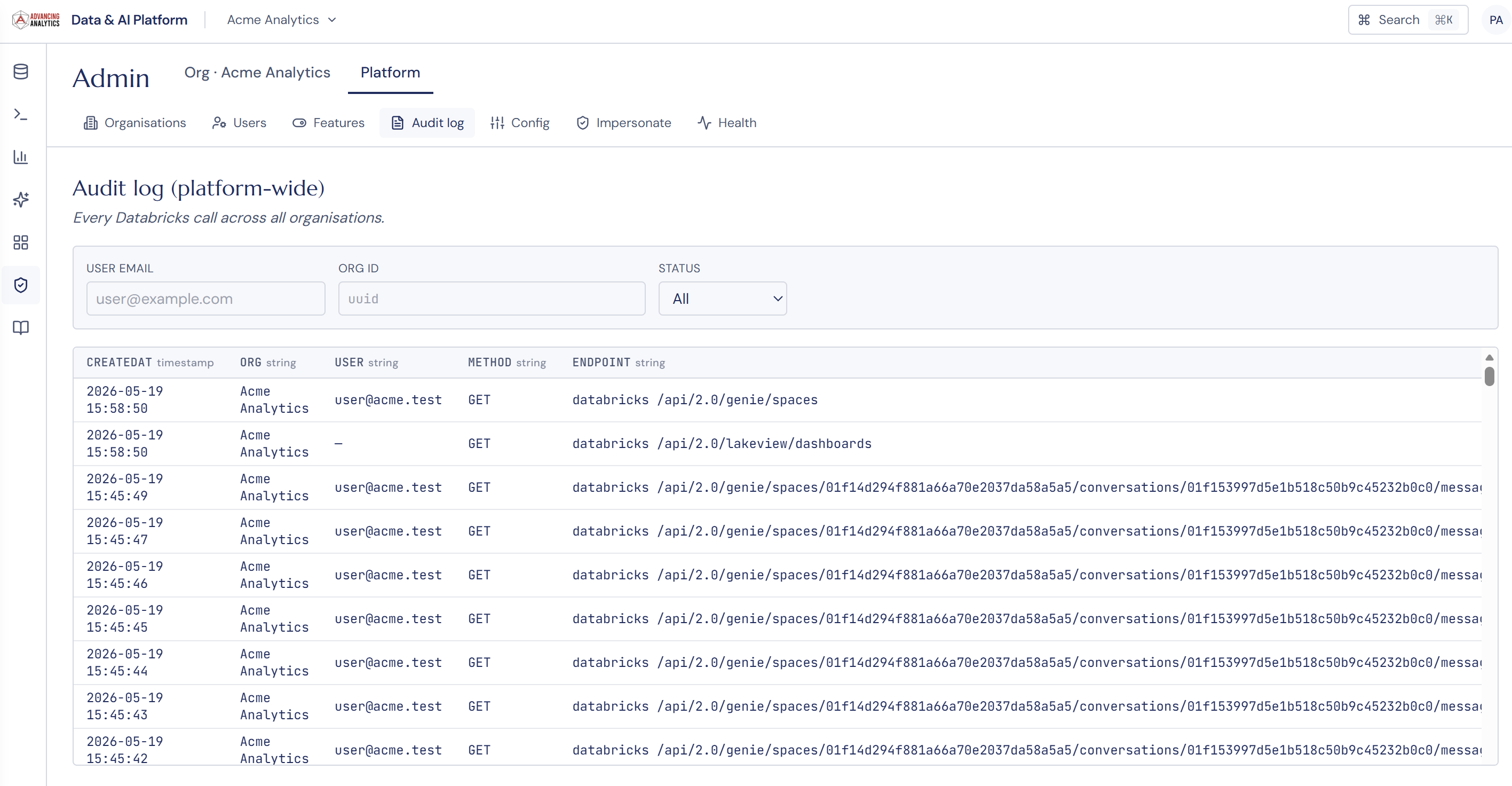
Three layers of administration emerged during the build, and getting them right matters.
The end user uses the product. They have no admin surface.
The tenant admin is the customer-side operator — they manage their own users, their own access policies, their own organisation's settings within our product. They never see Databricks. They see "Users in your organisation," "Permissions on your data," "Usage for your team."
The platform admin is us, or whoever owns the Built-On product. This is where the Databricks abstraction is necessarily thinner. We manage tenant onboarding, SPN provisioning, workspace mappings, catalog assignments, the underlying Unity Catalog permissions. This admin surface has to think in Databricks terms because it's the layer that talks to Databricks.
The temptation is to merge these layers. To expose fragments of the platform admin surface to tenant admins. Don't. The whole reason a tenant admin chose your product is that they don't want to learn Unity Catalog. Translating between the two layers is your job, not theirs.
A Cautionary Tale
Some customers we've spoken to have wanted to treat Built-On Databricks as an opportunity to recreate the Databricks UI and the Databricks experience.
It usually starts reasonably, such as an exposed SQL editor. Then a query scheduler. Then a notebook-style scratchpad. Then somewhere to see job runs. Then a way for end users to publish their own dashboards. A few sprints in, you've rebuilt half the Databricks workspace inside your product and you're now maintaining a poor imitation.
Built-On deliberately forces you to abstract a lot of the complexity away. If the customers for your product already have data engineering teams, it's likely they already have their own platform, and there are better ways of delivering data to them — Delta Sharing being the most obvious.
Think of it this way. Built-On, when done well, is the data version of a Michelin-starred restaurant's tasting menu. The customer has an excellent experience, gets what they want, and isn't burdened with choice or having to cook their own food.
Databricks, as a platform, is the kitchen. You, as the chef, have complete control over what you offer your customers and the experience you give them.
Antonie de Saint-Exupery said that:
Perfection is achieved, not when there is nothing more to add, but when there is nothing left to take away.
Who This Is For
When I started, this was a demo — a way to show what was possible.
What's surprised me, in the conversations since, is how many of our clients have already tried to solve this problem with other tools and approaches, and found it harder than it should be. The pattern is fairly common:
- A retailer wanting to give its partners — franchisees, suppliers — a portal into their own performance data.
- A platform business wanting to give its merchants analytics over their own transactions.
- A regulated firm wanting to give its corporate clients a view of their own risk metrics.
- A professional services firm wanting to give its clients a self-service interface to the data the firm holds on their behalf.
In each case, the underlying requirement is the same: a customer-facing product, multi-tenant, governed, with the heavy lifting handled by a platform that someone else maintains.
Built-On Databricks makes most of that work go away because the foundations — identity, multi-tenancy, governance, query, semantic layer, conversational analytics — are all problems already solved inside Databricks.
If You Want One
We built this for ourselves at Advancing Analytics as an internal proof. It works, and it solves a problem several of our clients have been trying to solve in worse ways.
So if you're a Databricks customer who is also a data provider to your own customers — or who wants to be — and you've been wondering whether to commit to a year-long internal build to expose that data, we should talk.
We can take this prototype, fit it to your domain, your brand, your identity provider, your catalog, your customers, on a timeline measured in months rather than years. And you own the outcome — the IP, the roadmap, the customer relationship — with Databricks as the foundation.